Network Scope
The Network Scope page allows you to define and manage trusted sources and destinations for your organization. By specifying your monitoring scope, you ensure that only relevant and authorized data is processed by AlphaSOC, reducing noise and improving the accuracy of threat detection.
Adding a New Out-of-Scope Network
Define out-of-scope sources to exclude known, legitimate internal systems from being flagged as suspicious. This reduces false positives and keeps AlphaSOC focused on external threats and anomalies.
- Add a new out-of-scope network by clicking the Add out-of-scope network button.
- Fill in the required fields and click Add to save the out-of-scope network.
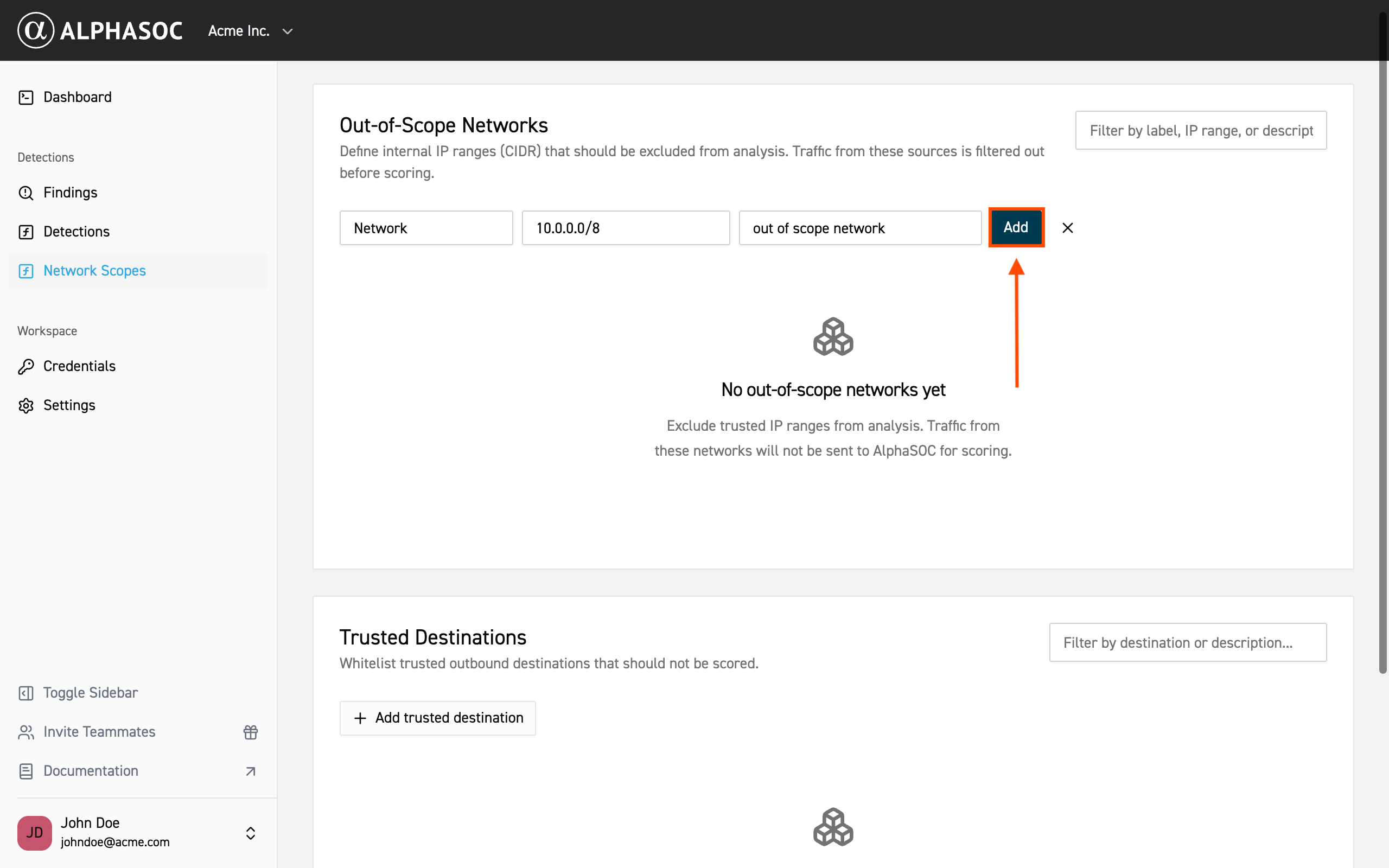
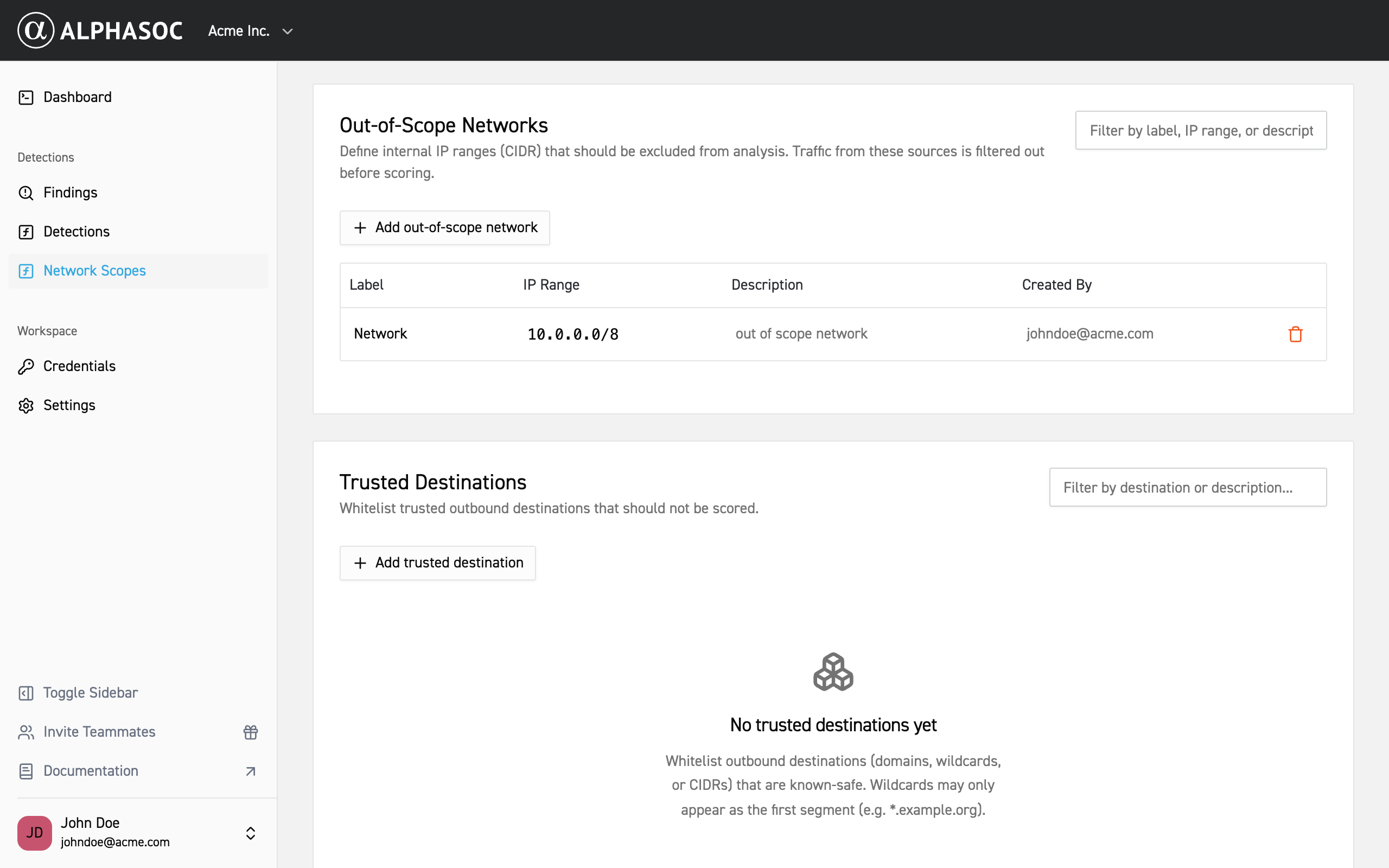
Your new out-of-scope network will now appear in the list with all of out-of-scope networks and its details.
Adding a New Trusted Destination
Define trusted destinations to exclude known, legitimate services and domains from being flagged as suspicious. This helps reduce false positives and ensures AlphaSOC findings focus on unauthorized or malicious connections.
- Add a new trusted destination by clicking the Add trusted destination button.
- Enter the domain you want to trust and click Add.
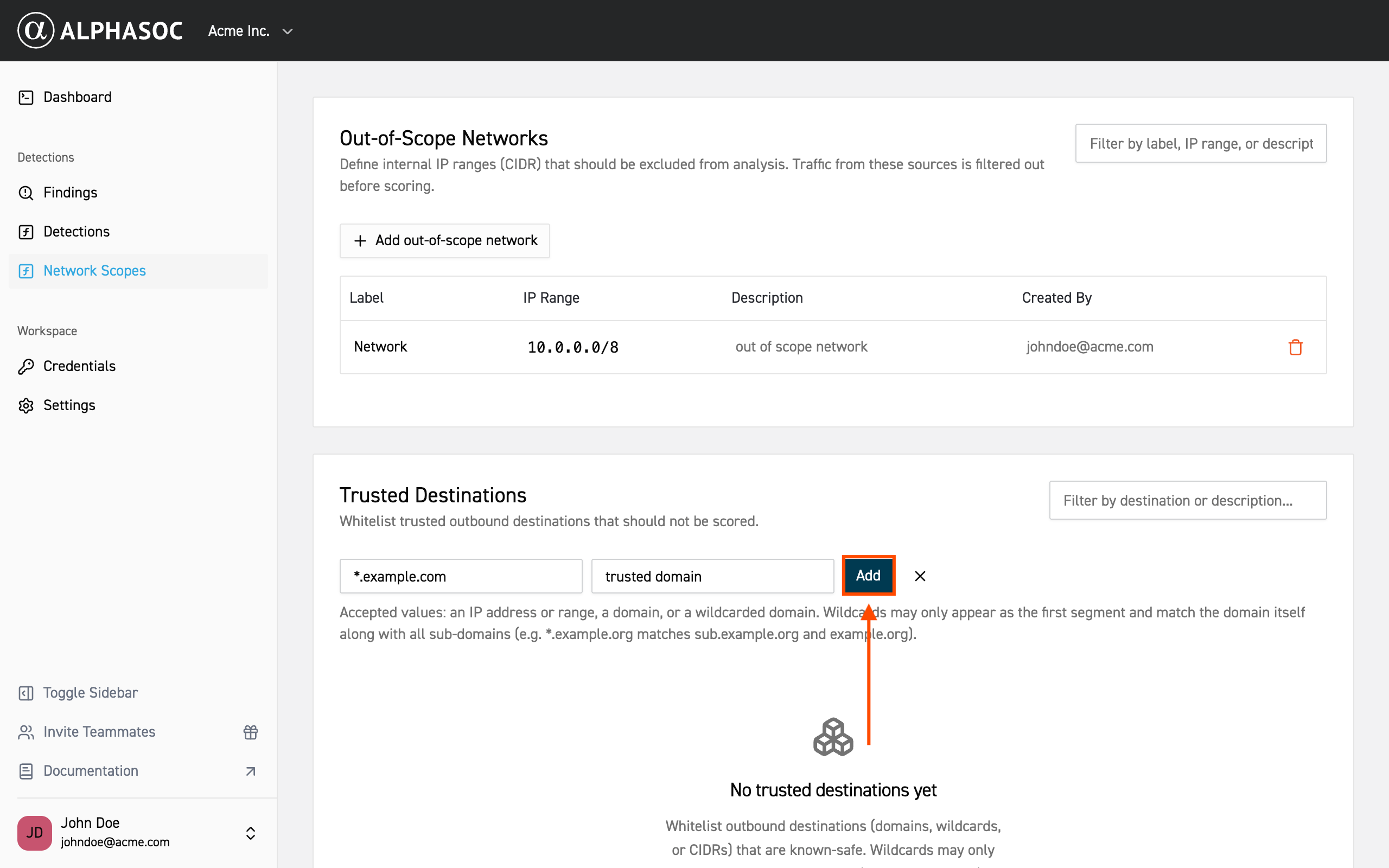
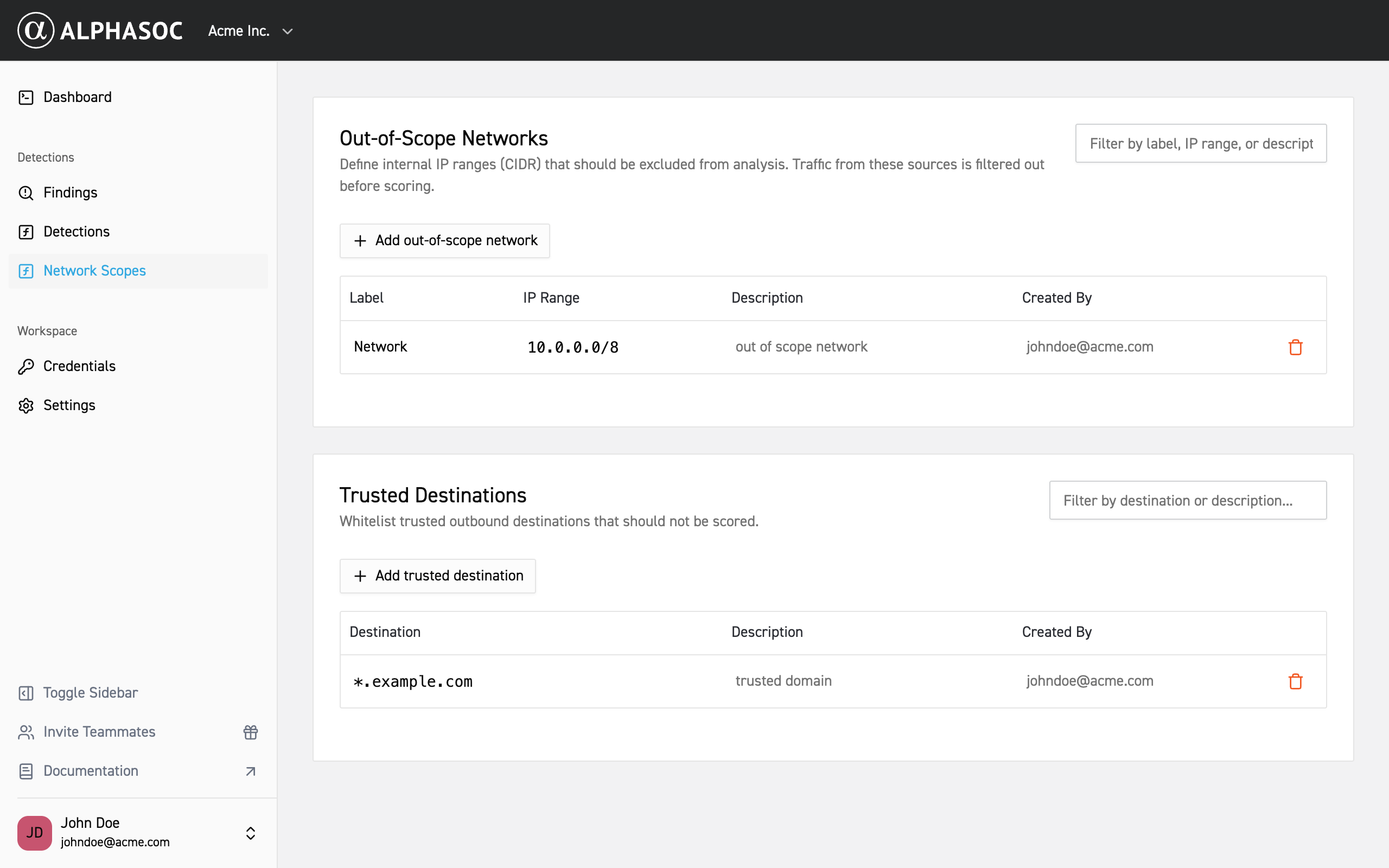
Your new trusted destination will now appear in the list of trusted destinations.
Managing Network Scopes
You can delete out-of-scope networks and trusted destinations by clicking the trash icon next to the entry you want to remove.