Detections
The Detections page lets you view and manage detection rules used by AlphaSOC to identify threats and anomalies in your environment. Here, you can explore AlphaSOC built-in detections and add your own custom Sigma rules to tailor detection coverage to your organization's specific needs. You can also manage Sigma filters to suppress expected Sigma rule matches.
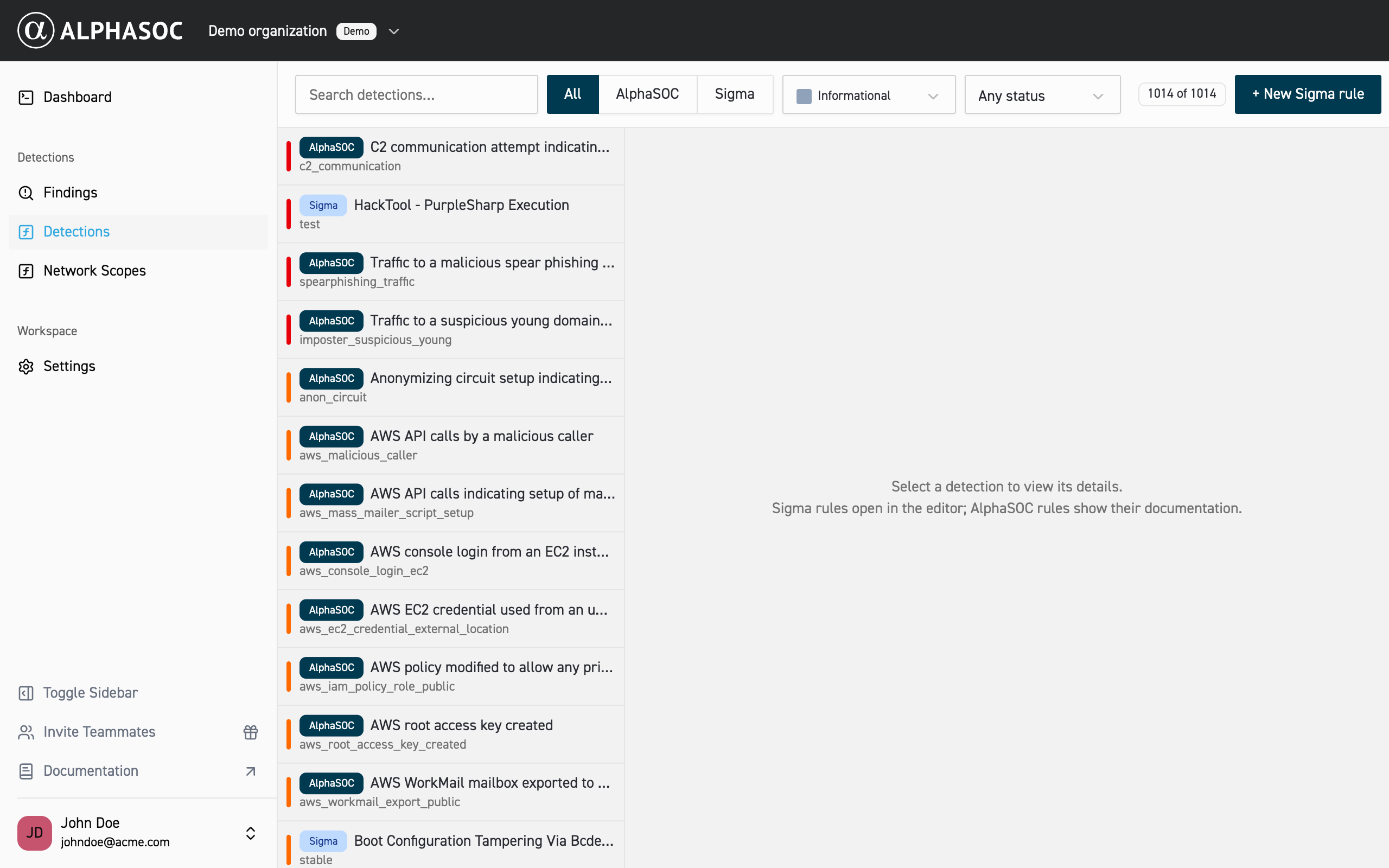
Use the tabs at the top of the page to switch between All, AlphaSOC, Sigma Rules, and Sigma Filters. Then use search and filters to narrow down the list by:
- Name
- Severity (not available for Sigma filters)
- Status (enabled, disabled)
AlphaSOC Detections
AlphaSOC provides a wide variety of high-quality detections out of the box, designed to identify threats and anomalies across diverse environments. These detections are supported across many data origins, including cloud platforms (e.g., AWS, Azure, GCP), SaaS applications (e.g., Okta, GitHub), endpoints (e.g., CrowdStrike, SentinelOne), network sensors (e.g., Zeek, Suricata), and more. They leverage behavioral analysis, threat intelligence, and anomaly detection to surface both known and novel threats with minimal configuration. Click here to see the full list of available AlphaSOC detections.
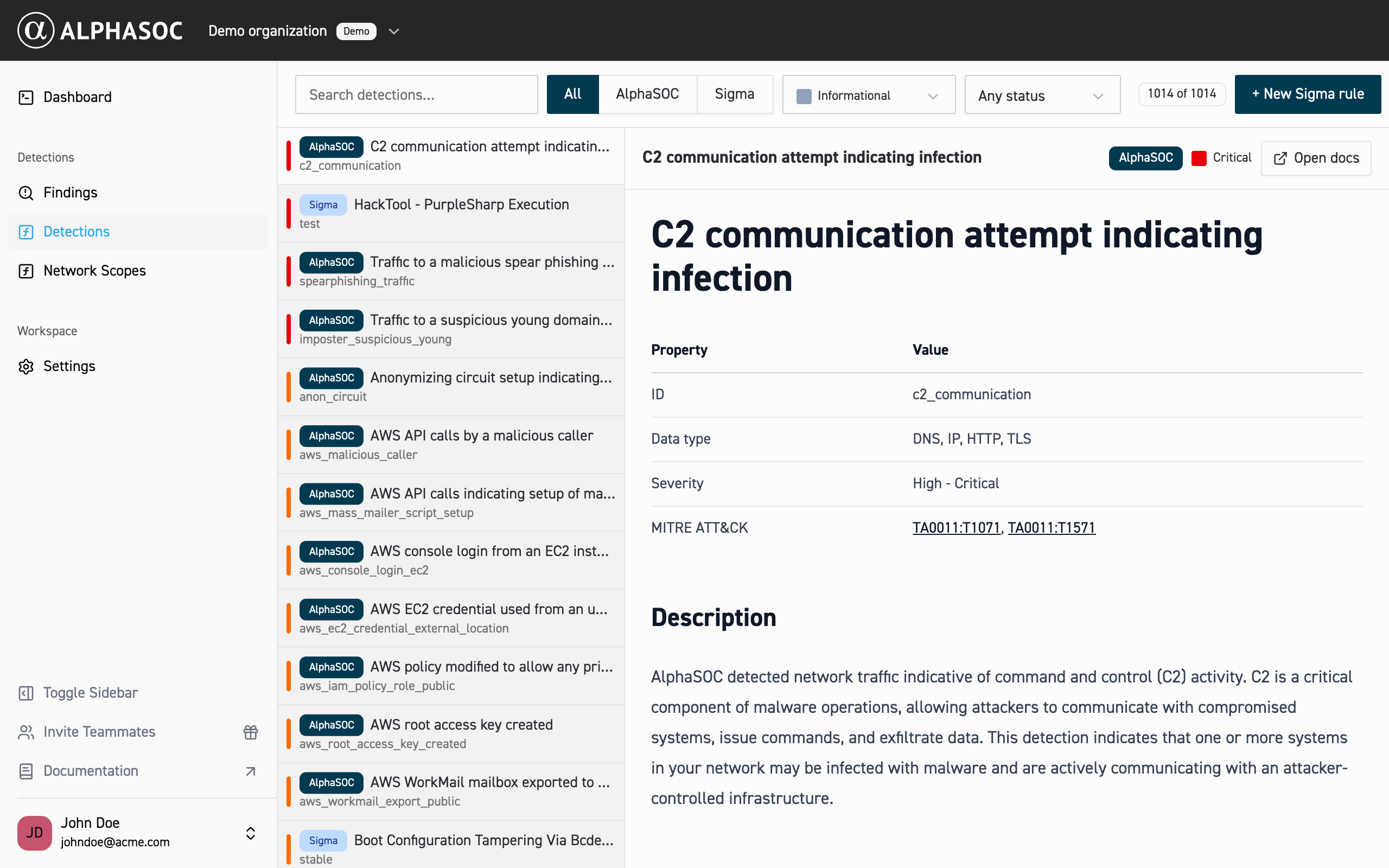
To learn more about a specific AlphaSOC detection, just click the detection name in the list and the description will open on the right side of the page.
Sigma Rules
AlphaSOC natively supports Sigma Rules, enabling users to enhance detection capabilities with custom rules tailored to their environment. These rules can be added manually through the AlphaSOC web console or imported programmatically via our API, providing flexibility for seamless integration and automation.
Adding custom Sigma rules
To add a custom Sigma rule:
- Click New Sigma rule.
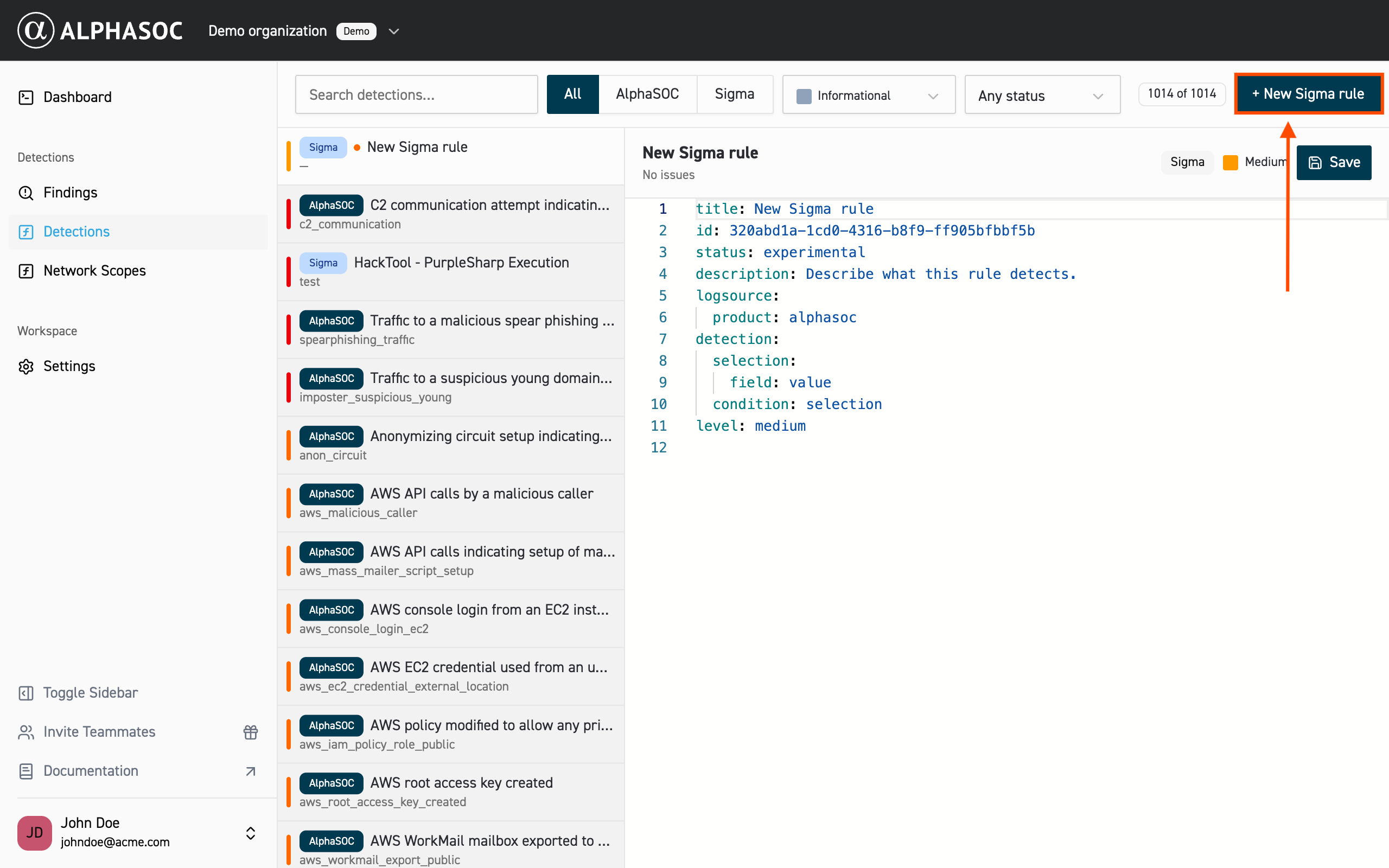
- Paste or write the Sigma rule.
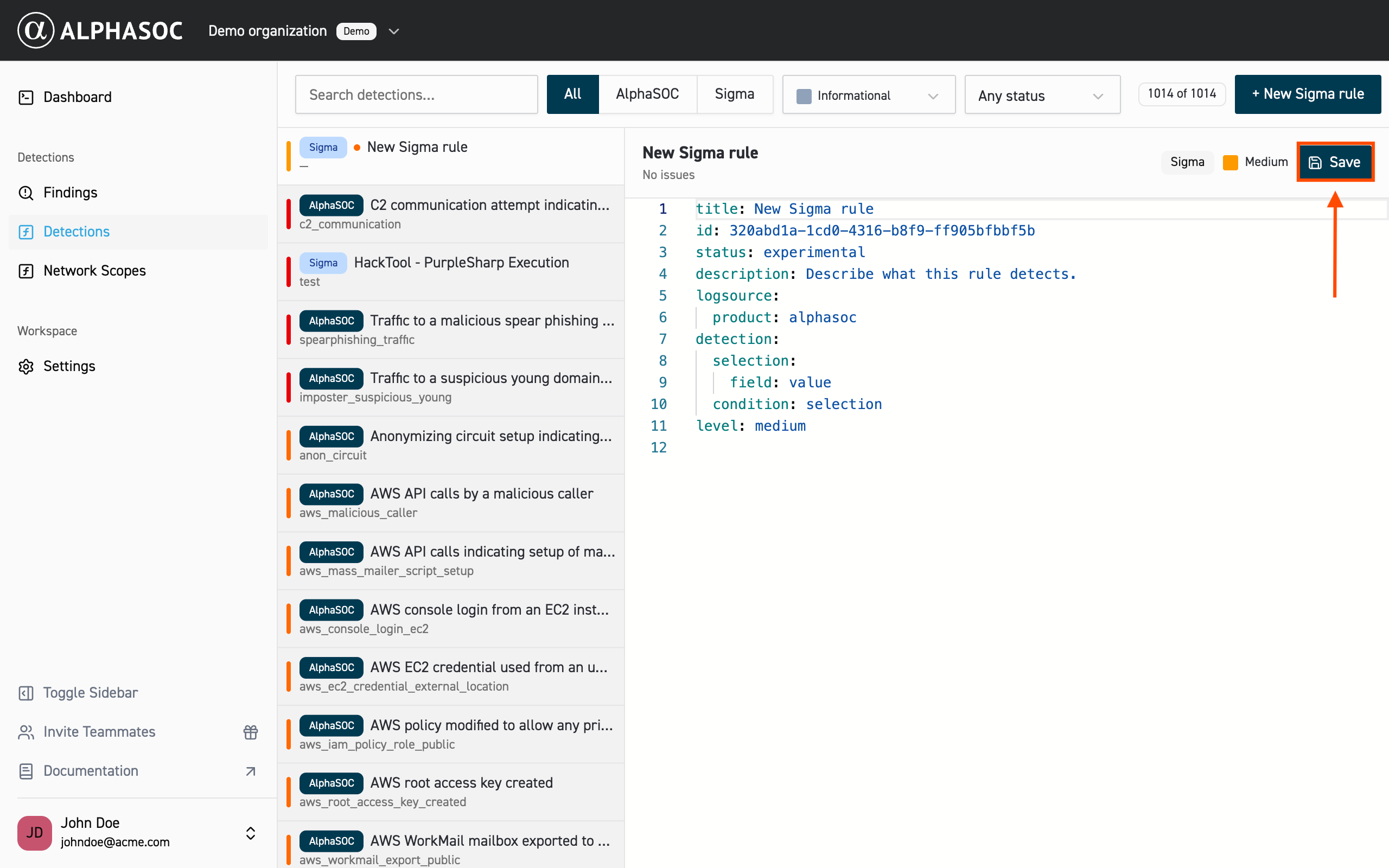
- Click Save.
After saving, the custom rule appears in the Sigma Rules section. Unsaved rules appear as draft until you save them.
Managing Sigma rules
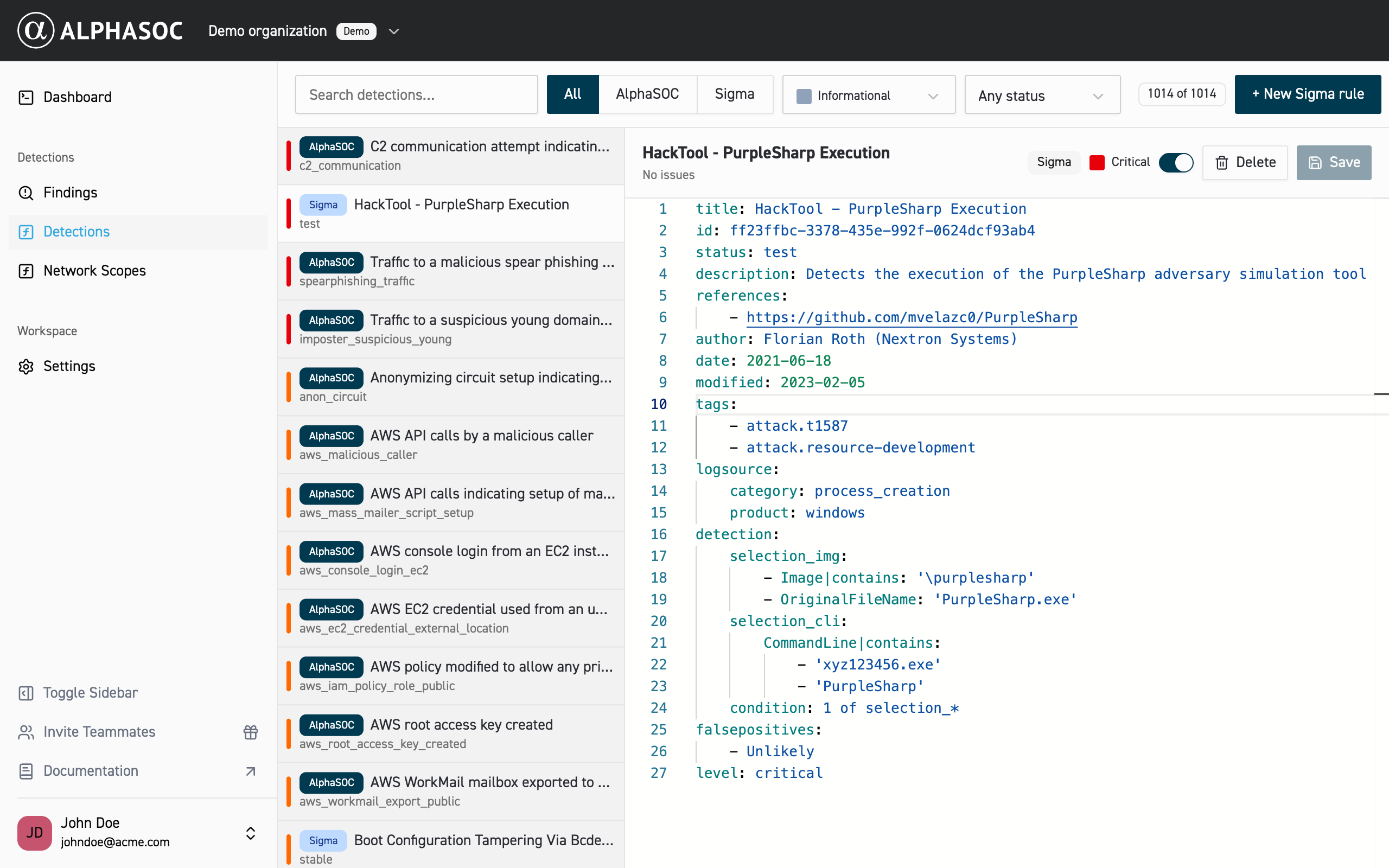
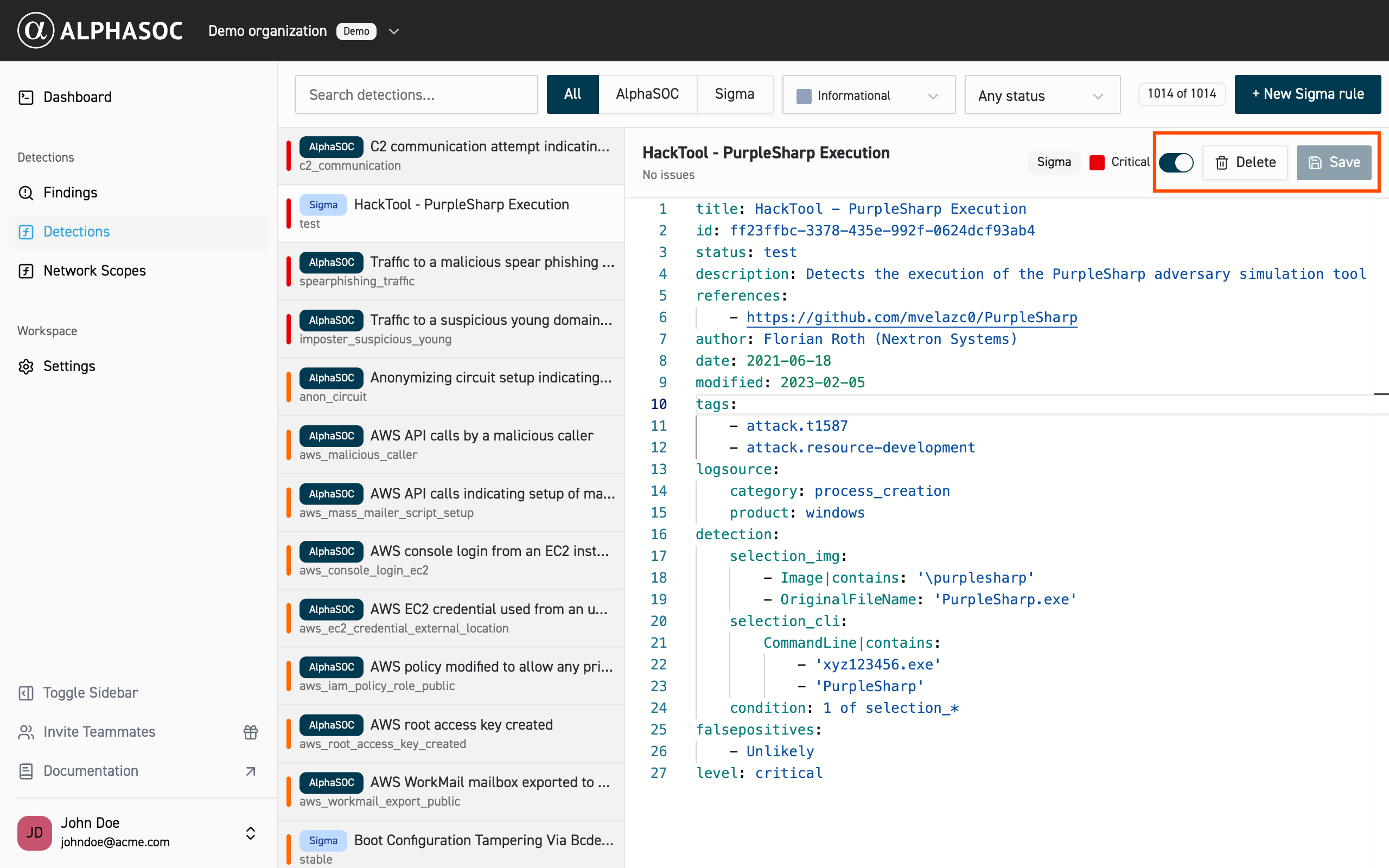
After clicking on the Sigma rule, you will see the editor view and action menu. From there you can edit the status of the rule (enable or disable) by toggling the switch, save the edited rule, or delete it.
Managing Sigma filters
Sigma filters stop selected Sigma rules from triggering on activity you expect, such as changes made by a deployment pipeline or traffic from an internal scanner, without editing the rules themselves. A filter only affects new events. It doesn't remove findings that already exist.
For filter syntax and examples, see Sigma Filters.
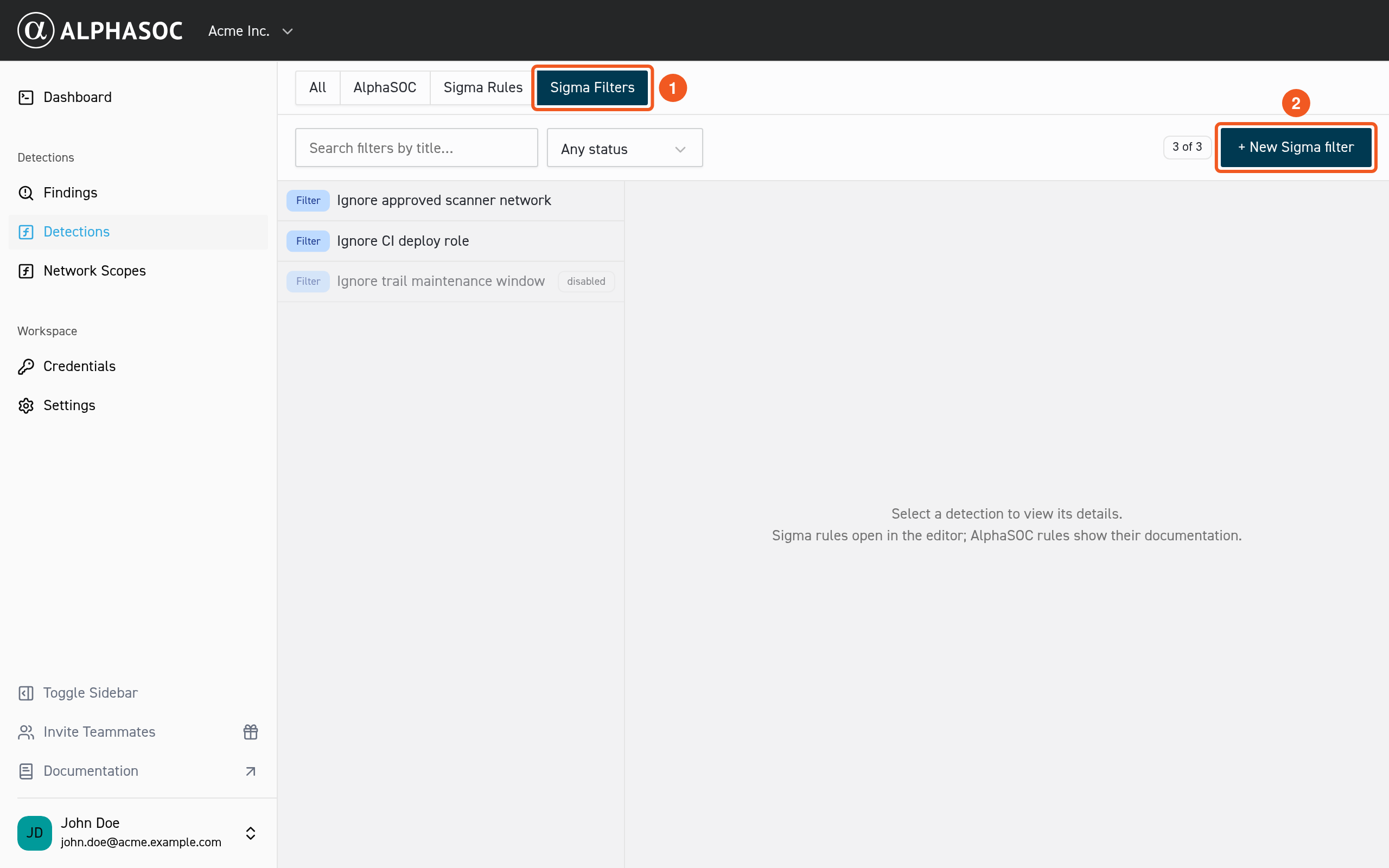
To create a filter:
- Select the Sigma Filters tab (1), then click New Sigma filter (2).
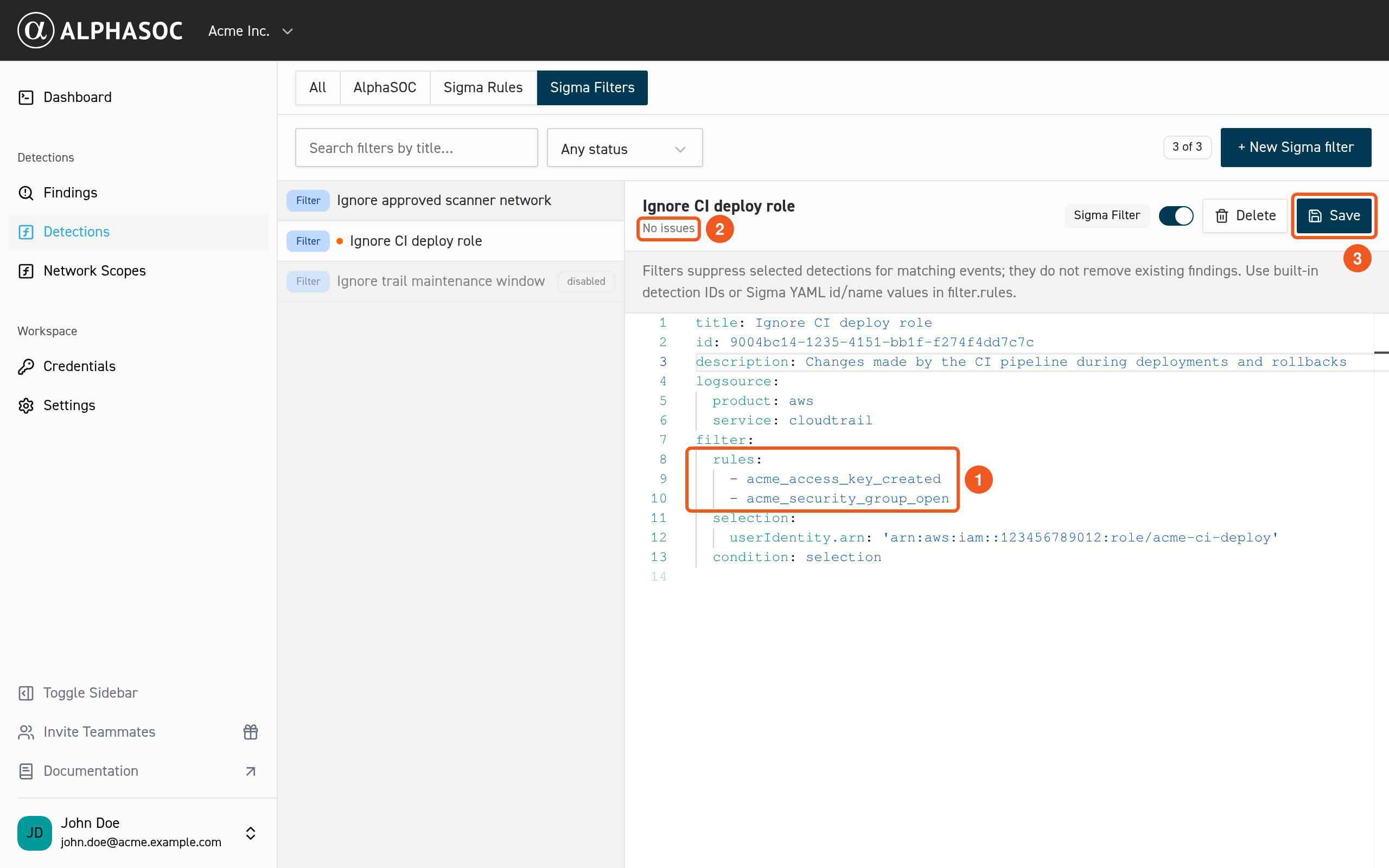
- Replace the template values:
- Under
rules, list the Sigma rules the filter applies to (1). To find a rule's identifier, open the rule on the Sigma Rules tab and copy the value of itsidornamefield. - Under
selection, describe the activity to ignore.
- Under
- When the editor shows No issues (2), click Save (3).
Every Sigma rule a filter lists must exist and be enabled. Otherwise, the console doesn't save the filter and shows which rule needs attention.
To change a saved filter, select it in the list. You can edit it, turn it on or off with the switch, or delete it. While a filter is on, you can't disable or delete the Sigma rules it lists. Turn the filter off first.
Workspace Users and Owners can manage Sigma rules and filters. Guests can view them but can't make changes.