Findings
The Detection Findings page provides insights into findings generated by AlphaSOC. Use it to filter, visualize, and review findings to identify potential security incidents in your environment.
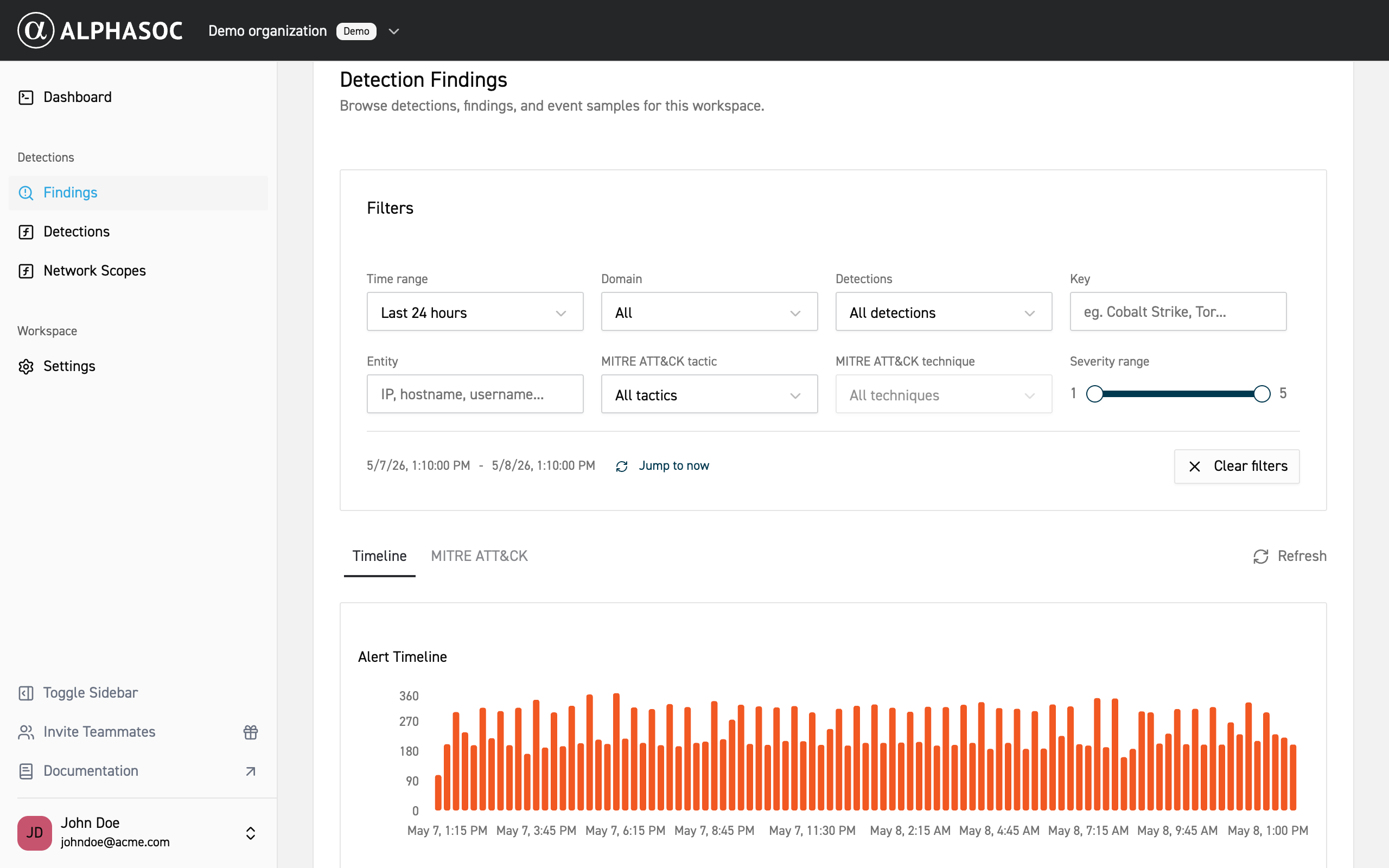
Filters
To reduce noise and focus on the most relevant findings, narrow the results by applying filters.
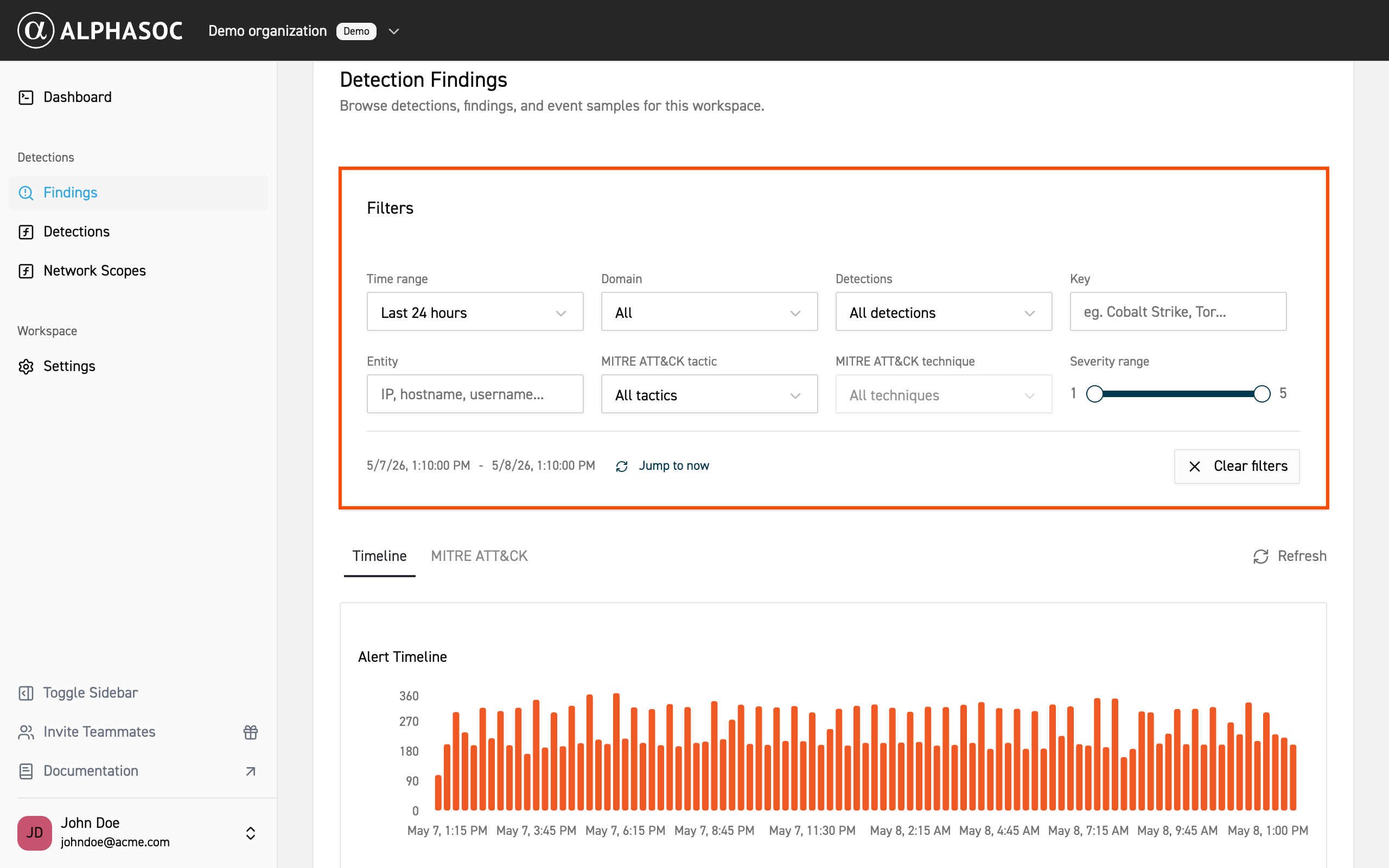
Available filters include:
- Time range: Select a predefined range or set a custom range using the date picker.
- Detections: Select or search for specific detection names. View the full catalog here.
- Key: Search for a malware family, adversarial tool (e.g., Cobalt Strike), or keyword (e.g., Tor).
- Endpoint: Search for a hostname, IP address, MAC address, or third‑party account identifier to see related findings.
- MITRE ATT&CK® tactic: Select one or more tactics to filter by attack patterns.
- MITRE ATT&CK® technique: Select one or more techniques to filter by specific methods.
- Severity range: Select severity levels from 1 (informational) to 5 (critical) by sliding the handles on the bar.
Findings Views
To better understand your security landscape, use the Timeline and MITRE ATT&CK® views to visualize detection patterns.
Timeline
The Timeline view shows when detections occurred, helping you spot trends or spikes that may indicate ongoing attacks or persistent threats.
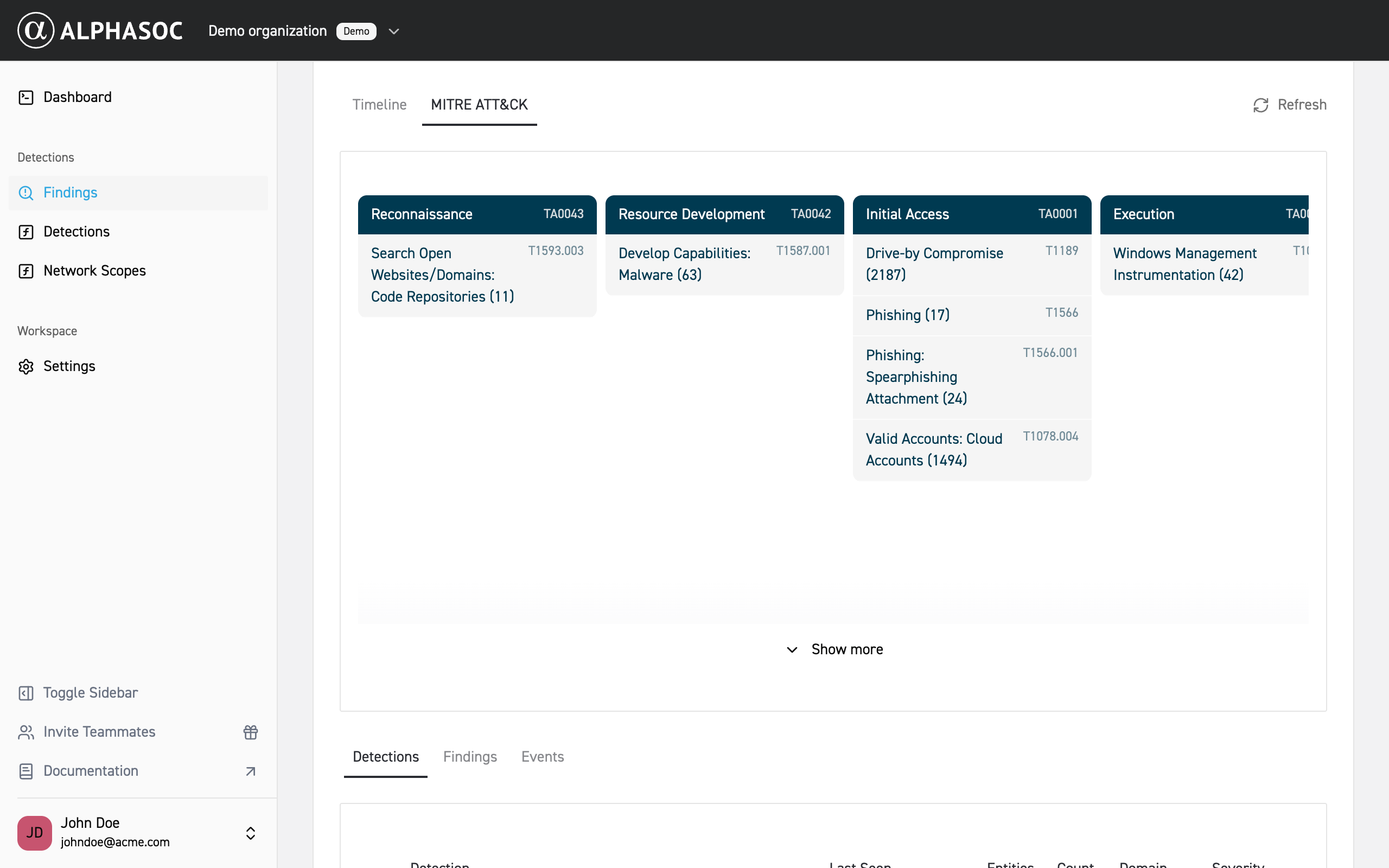
MITRE ATT&CK®
The MITRE ATT&CK® view organizes detections by MITRE ATT&CK® tactics and techniques so you can identify common attack patterns and prioritize response.
Reviewing Findings
At the bottom of the Detection Findings page, review the list of findings that match your filters. Each finding displays key details based on the selected tab: Detections, Findings, or Events.
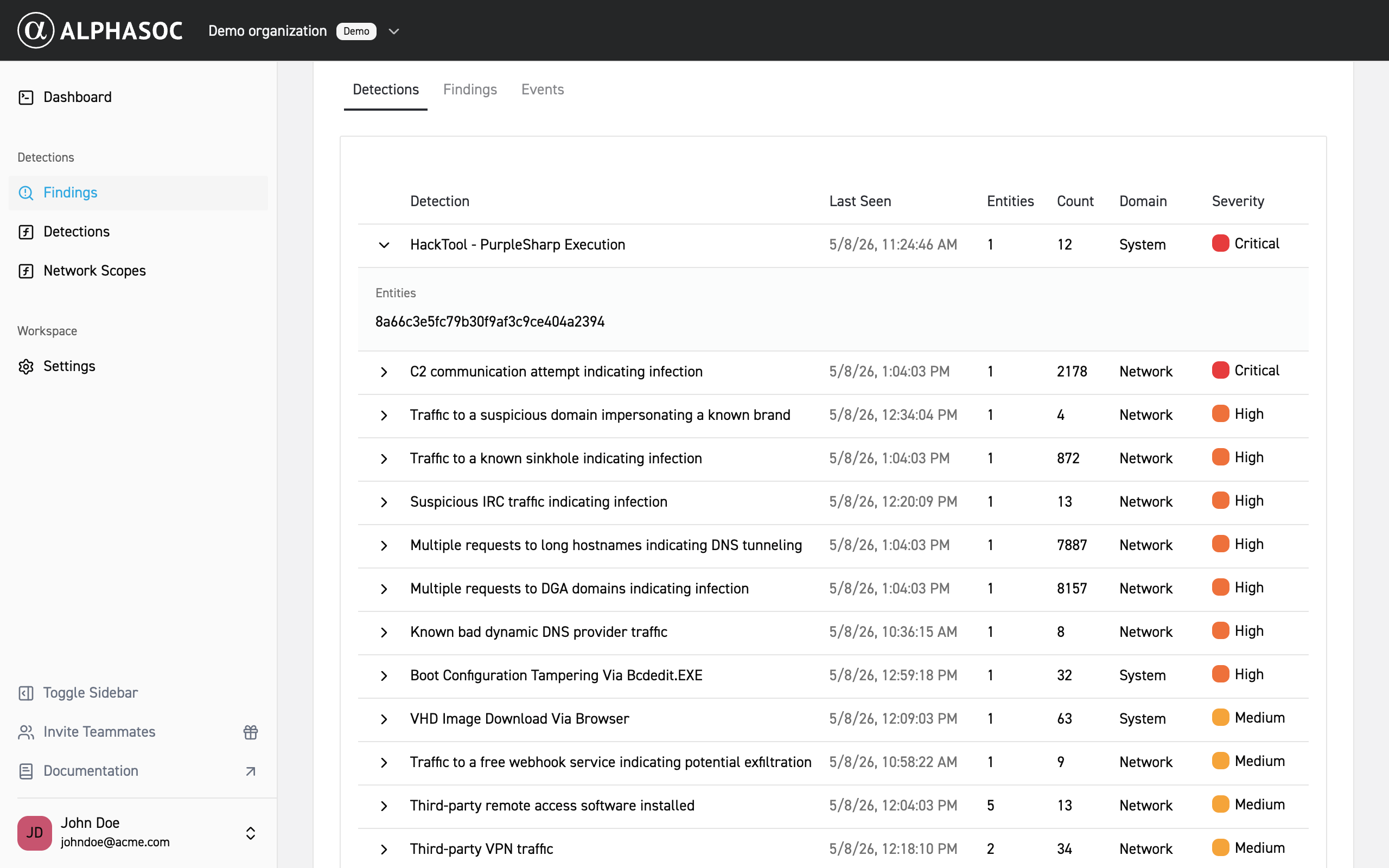
Detections
The Detections view summarizes detections and their activity. Each row shows the detection name, when it was last seen, the number of entities involved, the total event count, the domain, and the severity. Expand a row to see the related entities and the detections contributing to that group.
Findings
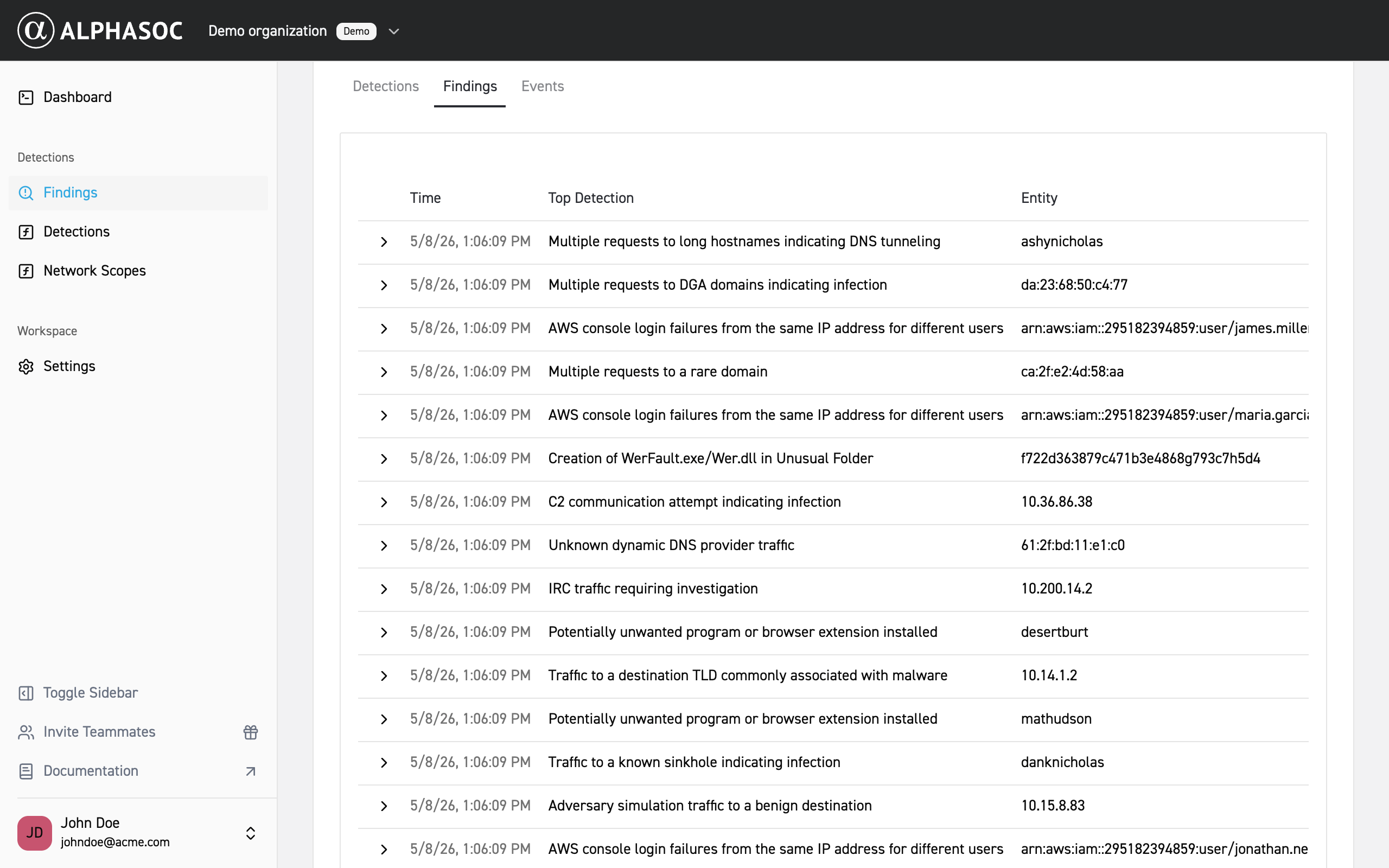
The Findings view lists individual findings in time order. Each row includes the time, the top detection associated with the finding, and the entity.
Events
The Events view lists individual events that triggered the detection. This view is useful for deep-dive investigations and forensics, as it provides the raw data that triggered the detection.
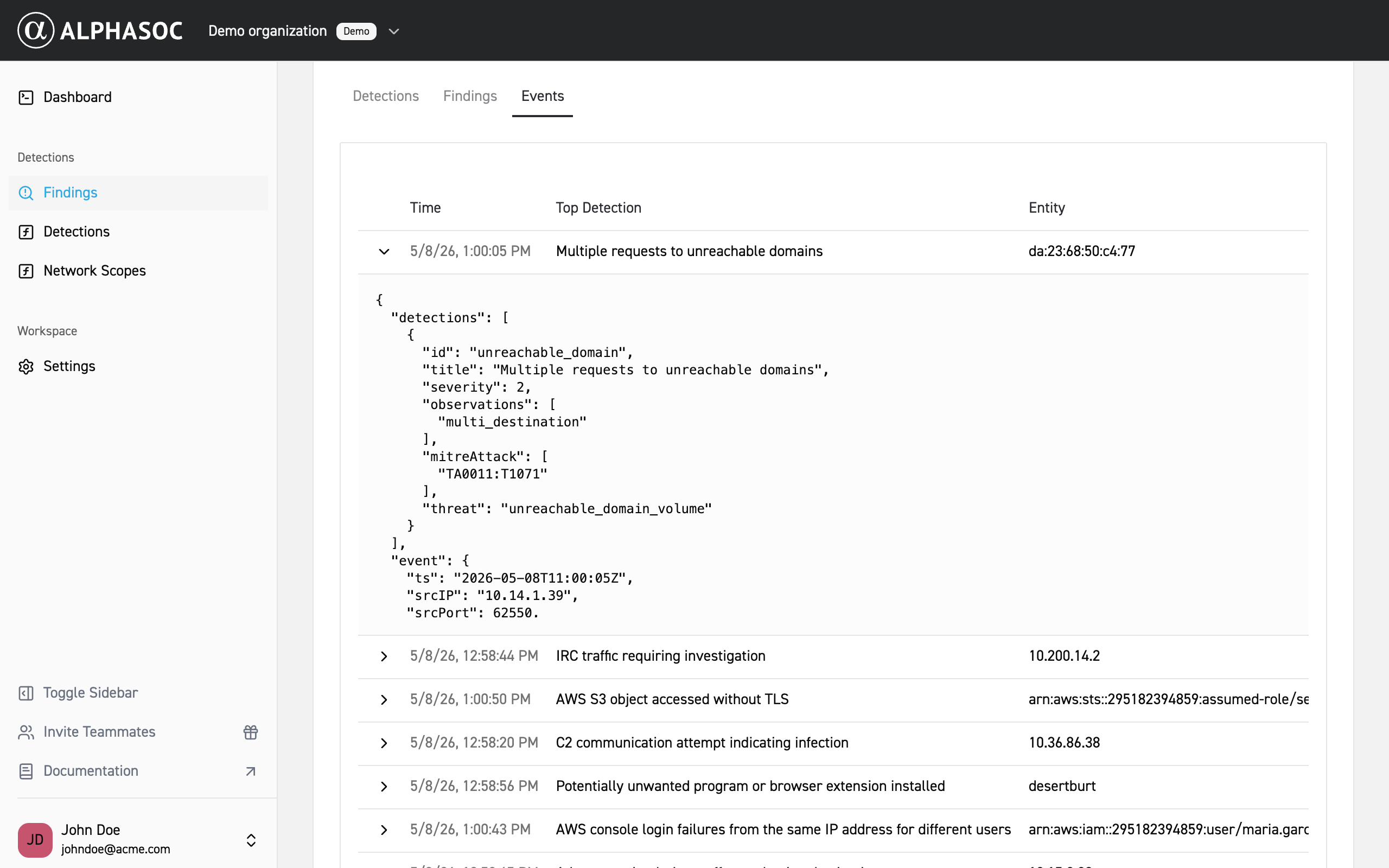
Each event includes a timestamp, top detection, and entity. Expand an event to view full log details in JSON.