Azure Event Hubs
Overview
AlphaSOC supports ingesting telemetry data directly from Azure Event Hubs. Azure Event Hubs is a fully managed, real-time data ingestion service that can stream millions of events per second from any source. AlphaSOC connects to your Event Hub namespace and consumes messages from designated event hubs using Shared Access Signature (SAS) authentication.
To set up Azure Event Hub as a data transport, provide AlphaSOC with the connection details required to establish a connection to your Event Hub.
Prerequisites
- Azure Event Hubs namespace with at least one event hub configured
- Shared Access Signature policy with Listen permission
Connection Settings
To enable this integration, provide AlphaSOC with the following parameters:
-
Connection String — The Azure Event Hub connection string used to authenticate with your Event Hub namespace. This string contains the fully qualified domain name of your namespace (ending in
servicebus.windows.net), the Shared Access Signature (SAS) key name, and the SAS key value. You can obtain this from the Shared Access Policies section of your Event Hub namespace in the Azure portal. -
Event Hub Name — The name of the specific event hub within your namespace that AlphaSOC should consume events from. An Event Hub namespace can contain multiple event hubs, and this parameter identifies which one to connect to.
-
Consumer Group — The consumer group name used when reading events from the event hub. Consumer groups enable multiple consuming applications to each have a separate view of the event stream, reading the stream at their own pace with their own offsets. Using a dedicated consumer group for AlphaSOC ensures that event consumption is tracked independently from other applications reading from the same event hub.
Create a Shared Access Policy
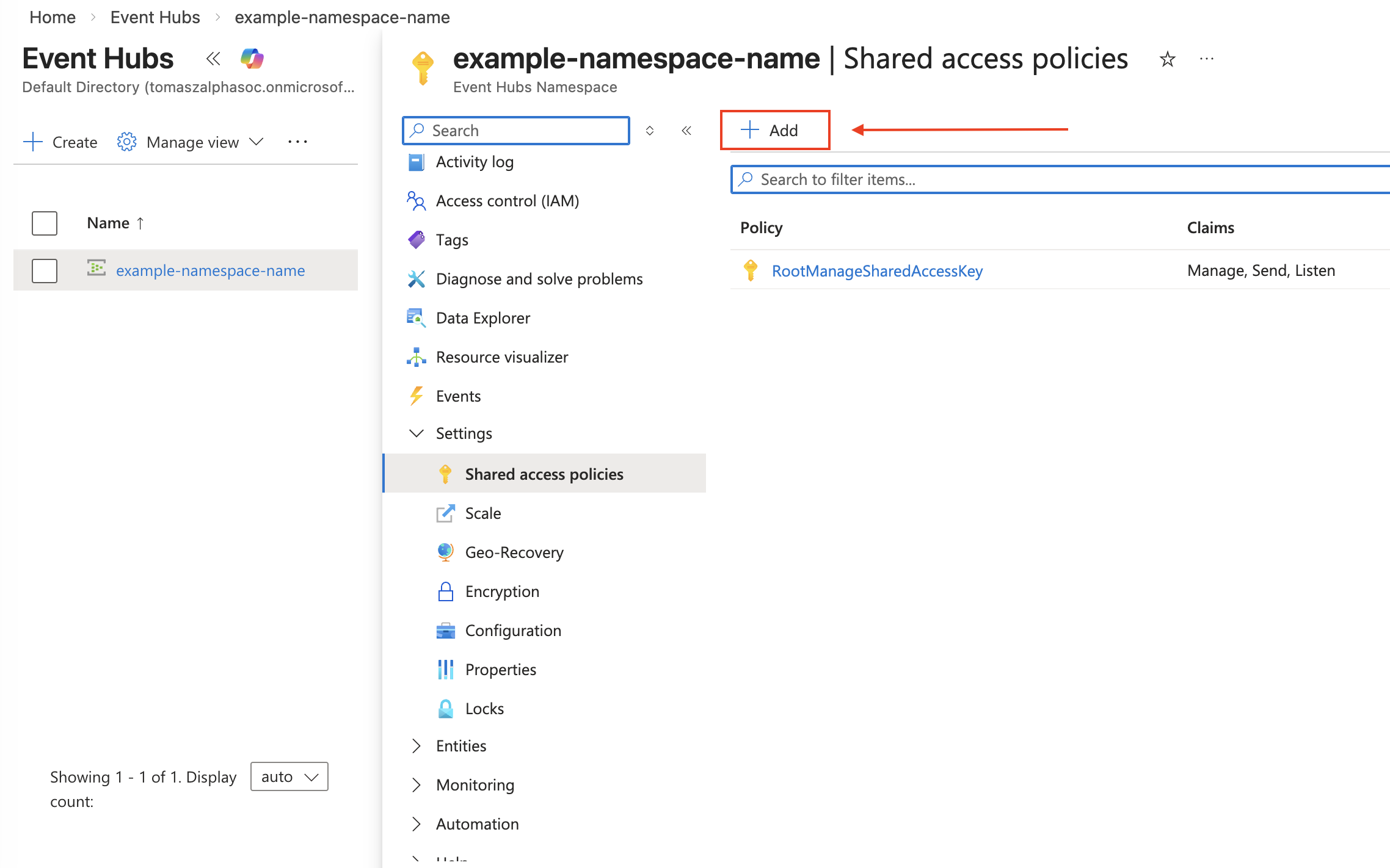
1. In the Azure portal, navigate to your Event Hubs namespace.
2. Select Shared access policies under Settings in the left menu.
3. Click Add to create a new policy.
4. Enter a policy name (e.g., alphasoc-reader).
5. Select only the Listen permission.
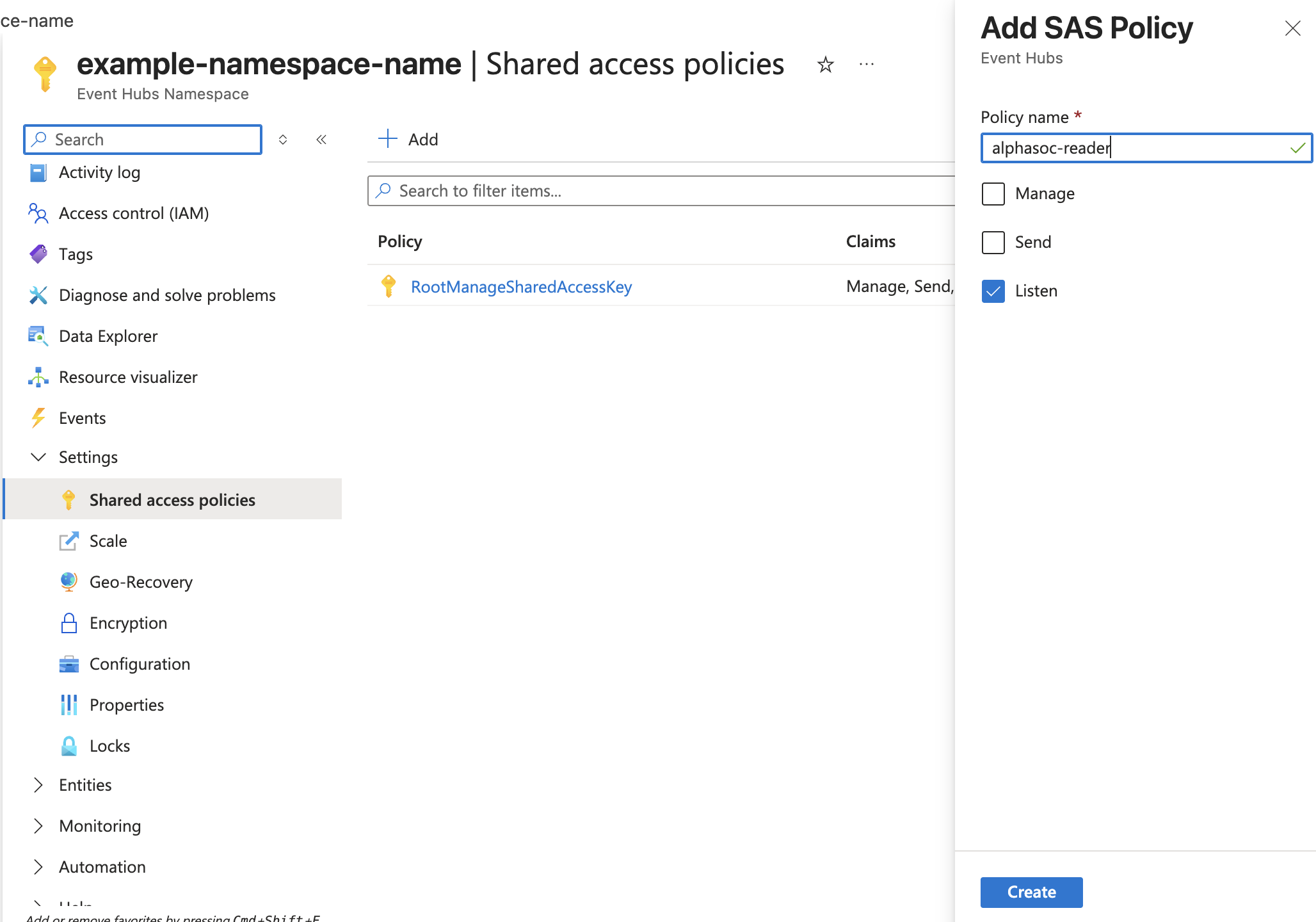
6. Click Create.
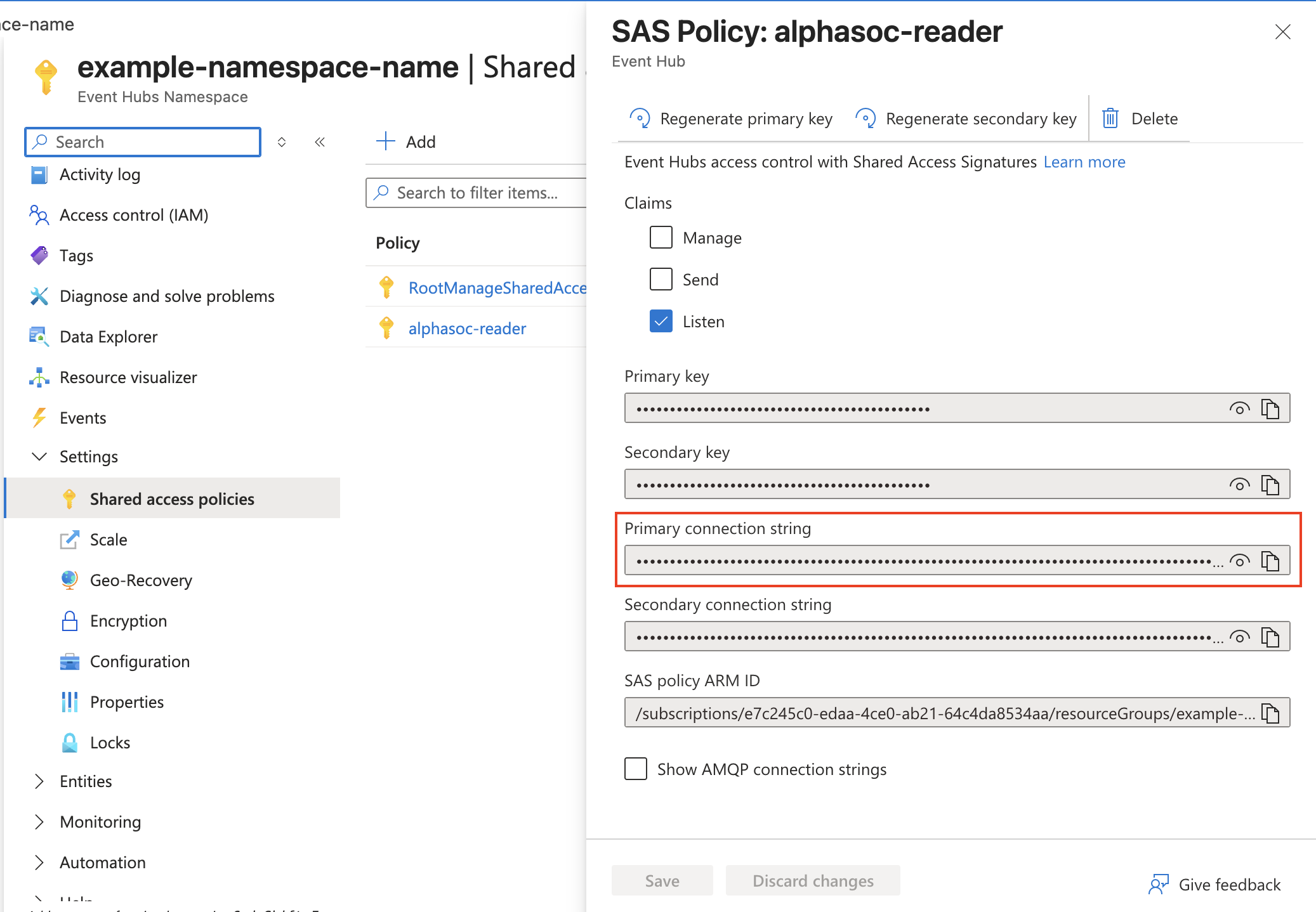
7. After the policy is created, click on the policy name to open it.
8. Copy the Primary connection string value.
Create a Consumer Group
To avoid conflicts with other consumers, create a dedicated consumer group for AlphaSOC:
1. In your Event Hubs namespace, select Event Hubs under Entities.
2. Click on the event hub you want to consume from.
3. Select Consumer groups under Entities in the left menu.
4. Click + Consumer group.
5. Enter a name (e.g., alphasoc).
6. Click Create.
Find your Event Hub Name
1. In your Event Hubs namespace, select Event Hubs under Entities in the left menu.
2. Note the name of the event hub you want AlphaSOC to consume from.