Custom Rules
AlphaSOC enables customers to craft custom detection rules using the Sigma language, a flexible and open-source standard for defining threat detection logic.
What is Sigma?
Sigma is an open-source initiative that provides a standardized, platform-agnostic format for crafting detection rules based on log data. These rules are written in YAML, enabling security teams to define and share detection logic that can be translated into the query languages of various Security Information and Event Management (SIEM) systems, making Sigma rules easy to share with other cybersecurity professionals and move across different environments.
A Sigma rule generally consists of:
- Log Source: Identifies the type of log data the rule targets, such as Windows event logs or Sysmon.
- Detection Logic: Specifies the conditions that must be met to trigger an alert, often based on field values, patterns, or specific behaviors.
- Metadata: Contains details like the rule’s title, description, author, and severity level.
Understanding these components will allow you to develop your own custom detections with ease.
Let's look at an example Sigma rule that detects Okta user account lockouts:
# ./rules/cloud/okta/okta_user_account_locked_out.yml
title: Okta User Account Locked Out
id: 14701da0-4b0f-4ee6-9c95-2ffb4e73bb9a
status: test
description: Detects when a user account is locked out.
references:
  - https://developer.okta.com/docs/reference/api/system-log/
  - https://developer.okta.com/docs/reference/api/event-types/
author: Austin Songer @austinsonger
date: 2021-09-12
modified: 2022-10-09
tags:
  - attack.impact
logsource:
  product: okta
  service: okta
detection:
  selection:
    displaymessage: Max sign in attempts exceeded
  condition: selection
falsepositives:
  - Unknown
level: medium
The most important part of any Sigma rule is the detection field. This section
contains the detection logic, including a selection subsection that specifies
the conditions to match against log data. The condition field then determines
how these selection criteria are evaluated.
Now that you understand Sigma's core components and capabilities, you're ready to build detection rules and deploy them through AlphaSOC.
Crafting and Deploying Custom Rules
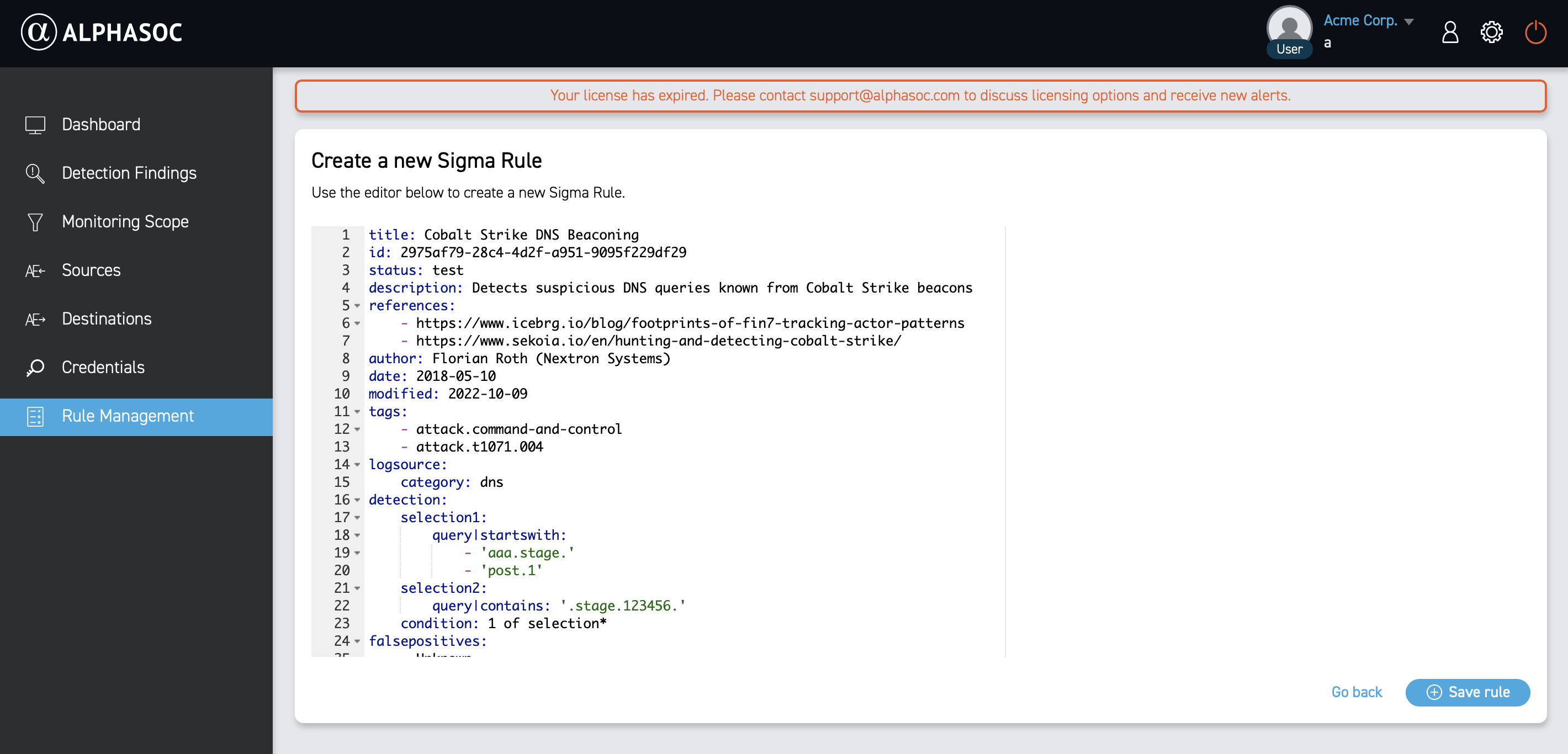
Before you start writing Sigma rules, make sure you’ve identified the relevant log source and understand which events or behaviors indicate the malicious activity you want to detect. Your custom rules should rely on supported detection attributes for optimal compatibility. For a full list of supported Sigma features, see Sigma Supported Detection Attributes. If you’re unsure how to structure detections or need more guidance, we recommend exploring the public Sigma repository to see examples from experienced professionals.
You can write and deploy custom Sigma rules directly through the AlphaSOC console, or automate the deployment using CI/CD pipelines and our API. Once submitted, the rules are automatically integrated into the analytics engine, enabling customers to:
- Address organization-specific risks, such as insider threats or industry-targeted attacks.
- Extend detection coverage beyond standard rulesets.
- Maintain alignment with internal policies and compliance requirements.
With custom Sigma rules deployed in AlphaSOC, you have the flexibility to adapt your detection capabilities as your threat landscape changes—ensuring your security measures stay ahead of evolving risks.
Community Sigma Rules
The Sigma project maintains a public repository of community-contributed rules, fostering collaboration among security professionals worldwide. This shared resource allows organizations to:
- Leverage collective expertise to detect a wide range of threats, from common attacks to emerging risks.
- Access thousands of pre-built detections for various log sources and attack techniques.
- Quickly expand their detection coverage without building rules from scratch, saving time and effort.
- Contribute their own rules to strengthen the community.
- Get ahead of adversaries with early access to detections for newly uncovered threats.
This community-driven approach ensures rapid coverage of new attack patterns as they are discovered. With AlphaSOC, you can efficiently import and deploy large sets of community Sigma rules via the detection management API, strengthening your security posture with minimal effort.
Expanding Sigma: Advanced Detection Techniques
AlphaSOC extends Sigma with advanced capabilities that go beyond standard rule-based detection:
- OCSF field standardization - Write a single Sigma rule that works across all log sources - AWS, CrowdStrike, and more - so you no longer need to create separate rules for each platform. This speeds up rule development and ensures consistent detection across your environment.
- Wisdom threat intelligence - Wisdom flags enhance your Sigma rules with AlphaSOC threat intelligence, improving detection accuracy and context. Wisdom helps recognize suspicious patterns, such as botnet IPs, cryptomining, or beaconing. For a full list of available Wisdom flags, see Wisdom Flags.
- Wisdom domains - With Wisdom, you can monitor your logs for specific domains.
- Multi-event correlations - Sigma correlations aggregate multiple related events over a specified time window to help you identify complex attack patterns that involve multiple steps or stages, which may not be apparent when looking at individual events in isolation.
These enhancements empower security teams to create more sophisticated and effective detection strategies, combining traditional rule-based methods with AlphaSOC's advanced analytics and intelligence.
Why It Matters
Custom Sigma rules give AlphaSOC customers the flexibility to tailor detections to their specific threat landscape and utilize community knowledge. This is crucial in today’s dynamic cybersecurity environment, where new attack vectors emerge constantly. With AlphaSOC’s support for custom Sigma rules, organizations can strengthen their defenses and ensure they remain aligned with emerging threats. For help with custom rules, reach out to support@alphasoc.com.