OCSF Support for Sigma
Overview
AlphaSOC supports the Open Cybersecurity Schema Framework (OCSF) v1.5, enabling you to write Sigma detection rules using standardized field names that work consistently across different log sources and vendors.
What is OCSF?
The Open Cybersecurity Schema Framework (OCSF) is an open standard that defines
a common language for telemetry. Instead of using different field names for each
vendor (e.g., sourceIPAddress for AWS, LocalAddressIP4 for CrowdStrike), you
can use consistent OCSF field names like src_endpoint.ip across all sources.
Writing Sigma rules with OCSF field names provides several benefits:
- Standardization - Use the same field names regardless of the underlying log source.
- Portability - Rules work across your organization's entire infrastructure.
- Simplicity - No need to maintain multiple versions of the same rule for different vendors.
How to Use OCSF in Sigma Rules
When writing Sigma rules in AlphaSOC, you can use OCSF field names directly in
the detection section. AlphaSOC automatically maps the OCSF fields to the
appropriate vendor-specific fields during rule execution.
To write Sigma rules using OCSF fields in AlphaSOC:
- Log in to AlphaSOC.
- Navigate to the Rule Management > Sigma Rules page.
- Click the New sigma rule button.
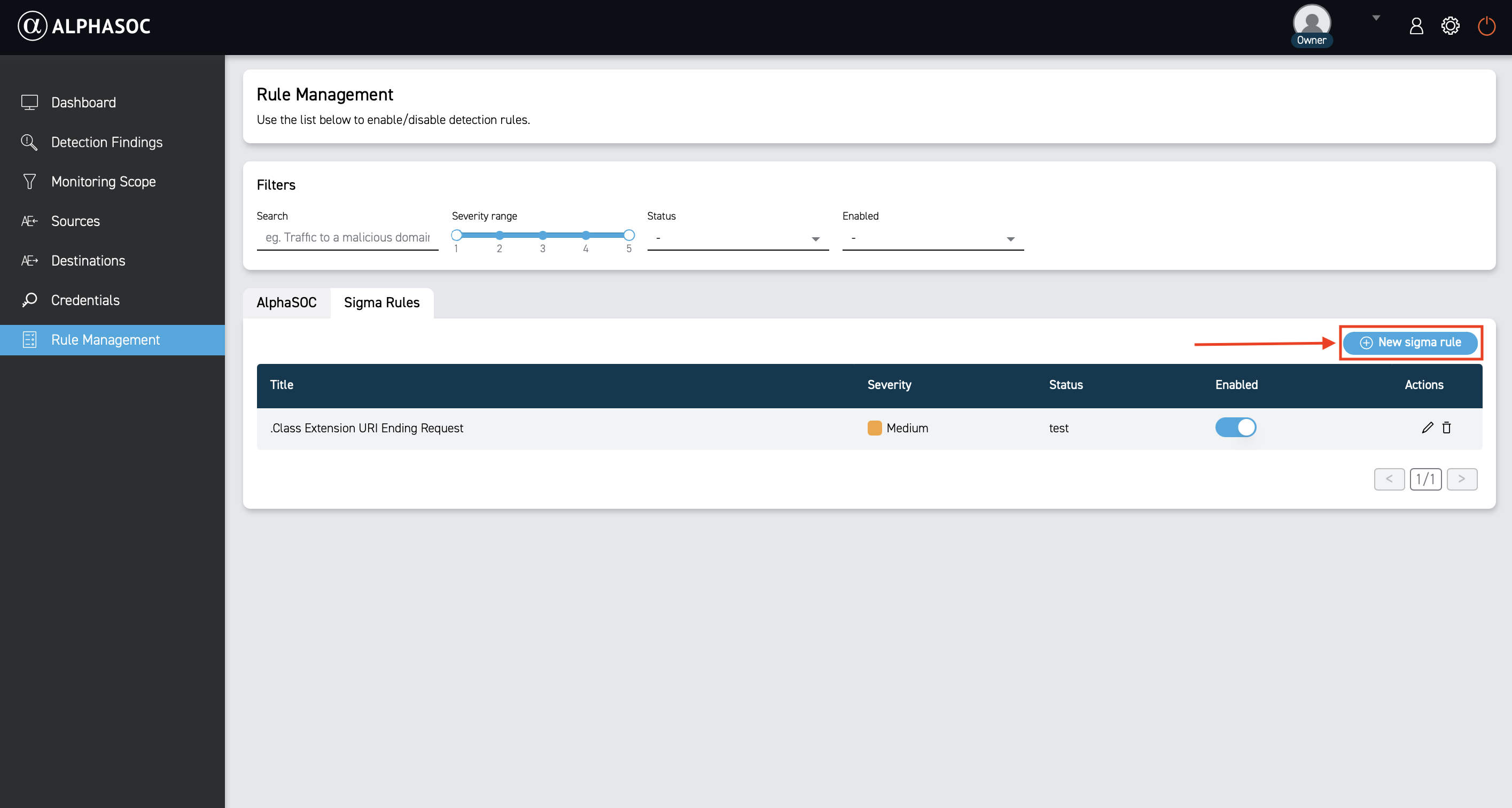
- In the rule editor:
- use OCSF field names in the
detectionsection - specify OCSF as the resolver format in the
alphasocsection
- Save the rule by clicking the Save button.
After that, your Sigma rule will appear in the Sigma Rules list. It's that simple! AlphaSOC handles the rest.
OCSF Format
To use OCSF field names in your Sigma rules, add the ocsf-v1.5 resolver in the
alphasoc section.
detection:
  selection:
    ocsf.field_name: value
alphasoc:
  logschema:
    ocsf: ocsf-v1.5
This allows AlphaSOC to recognize OCSF field names in your detection rules.
OCSF Field Availability
AlphaSOC populates a subset of OCSF fields depending on the log source and event type. Use the OCSF schema documentation to understand field semantics.