Activity
Overview
This documentation outlines the configuration process for transferring data from Azure Activity to AlphaSOC for analysis. Through this integration, the audit logs collected by Azure Activity can be used for security monitoring and threat detection.
To enable log data transfers:
- Export Activity logs to Azure Blob Storage.
- Configure AlphaSOC to ingest data from that storage account. See Configuring Blob Storage for submitting data.
Prerequisites
- Azure subscription.
- Azure Storage Account with Blob Storage enabled.
- Permissions to configure diagnostic settings in the source subscription.
- Permissions to write to the target Storage Account.
Forward Activity Logs to Azure Blob Storage
note
Activity logs are collected by default. Follow these steps to export them to Azure Blob Storage.
- In the Azure portal, go to Monitor > Activity log > Diagnostic settings. Click Export Activity Logs.
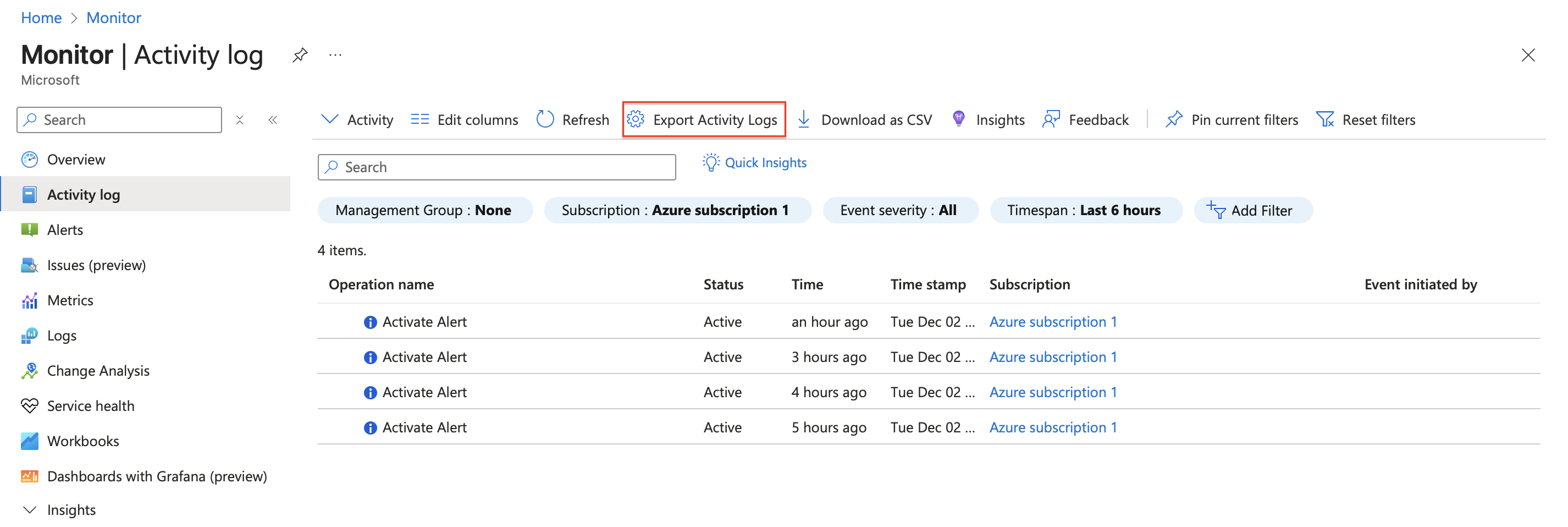
- Click Add Diagnostic setting.

- Under Logs, select the categories you want to export. Under Destination details, select Archive to a storage account.
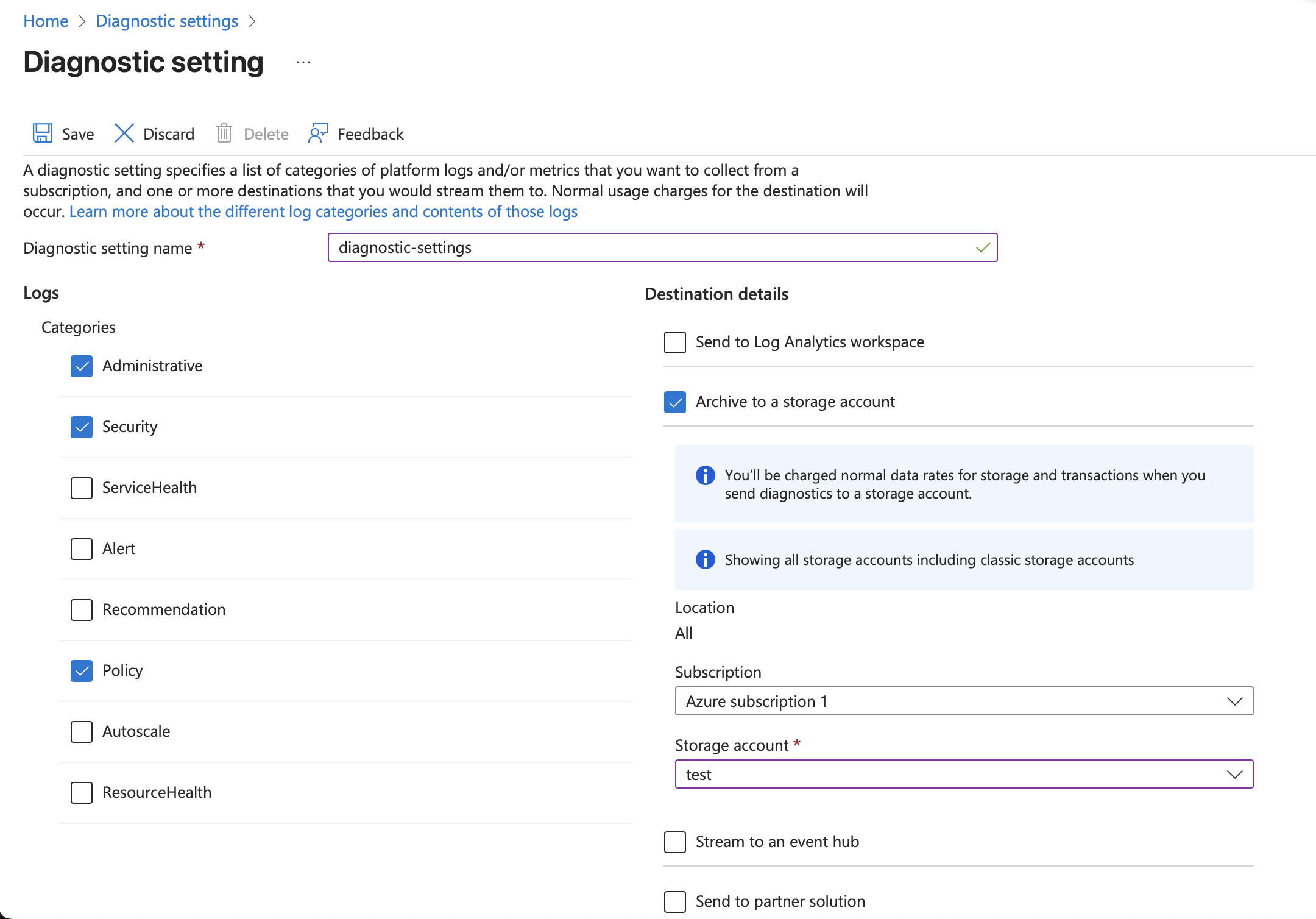
- Choose the subscription and target Storage Account, then click Save.
Configure Data Transport
Configure AlphaSOC to ingest data from your Azure Blob Storage account. See Configuring Blob Storage for submitting data.
Already collecting Activity logs in a different storage solution? See Collecting Data for alternative transport methods, or contact AlphaSOC support.